



Free On-Device AI · Transparent GIF & APNG · Zero Watermarks

Free GIF Background Remover

The free online BG remover for GIFs — make any animated GIF transparent in seconds. Our GIF background remover runs entirely in your browser: drop in a GIF to erase white, black, or busy backgrounds and download a clean transparent GIF, a smooth 8-bit transparent APNG, or a GIF with your own background color. No server uploads, no signup, and no watermark.

Drop a GIF here or click to upload

Supports animated .GIF files up to 30MB. Processed 100% locally in your browser — nothing is uploaded.

GIF Background Remover Examples

Every moving subject is cleanly isolated frame by frame and placed onto a transparent canvas — ready to drop into chats, slides, streams, or websites. Convert MP4 clips with Video to GIF.

Person waving — Before animated GIF with room backgroundBefore
Person waving — After transparent animated GIF on checkerboard canvasAfter
Person waving
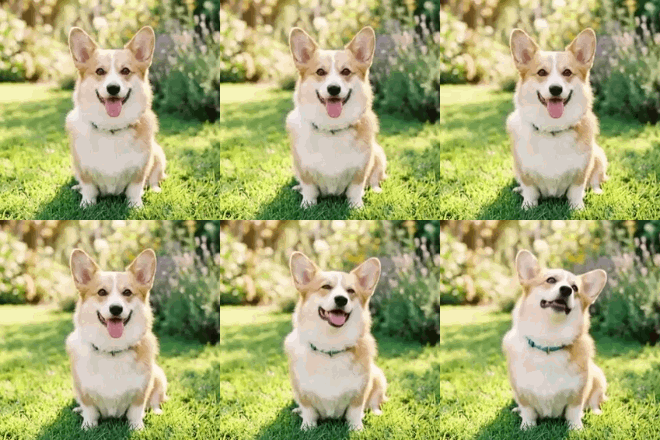
Cute corgi — Before animated GIF on green lawn grassBefore
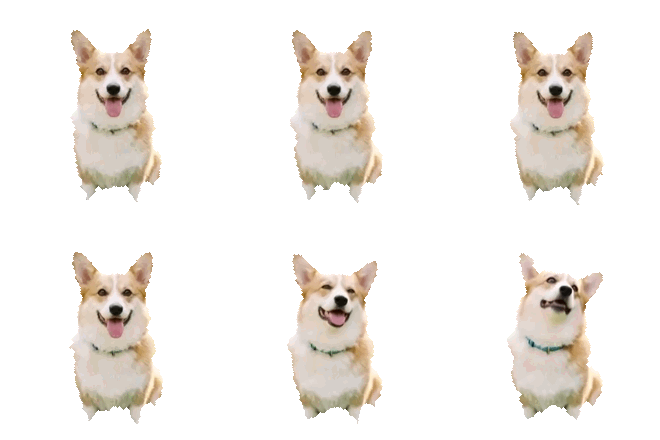
Cute corgi — After transparent animated GIF with lawn background removedAfter
Cute corgi
Product shot — Before animated GIF on studio pedestalBefore
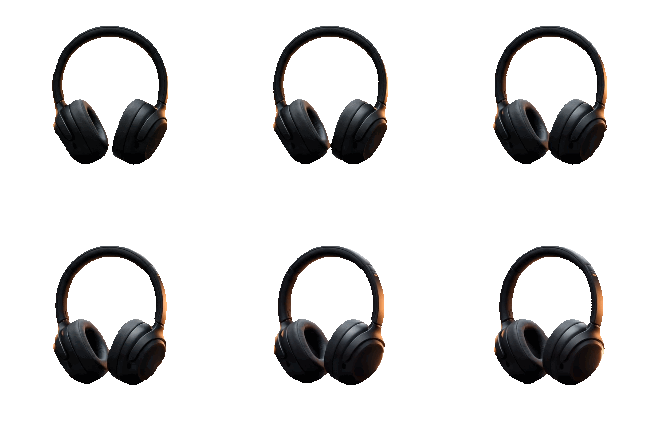
Product shot — After transparent animated GIF for e-commerce showcaseAfter
Product shot
BUILT FOR CLEAN CUTOUTS

Why Creators Use Our Browser GIF Background Remover

Color-key magic wands fail on complex backgrounds and dithered GIFs. Our on-device neural segmentation isolates the moving subject in every frame while preserving original timing and color richness.

Frame-by-Frame AI Subject Detection

Instead of deleting a single hex color, an on-device neural network detects people, pets, characters, and products across every frame—even against busy outdoor or gradient backgrounds.

Transparent GIF & 8-Bit Alpha APNG

Export a universal 1-bit transparent GIF for maximum compatibility, or switch to Transparent APNG in one click to preserve full 8-bit alpha for silky anti-aliased edges.

Custom Solid Color & Matte Replacement

Switch to Color Background to composite your cutout GIF over white, dark-mode slate (#0F172A), brand colors, or a green-screen hex code—eliminating 1-bit GIF edge fringing on dark UIs.

255-Color rgb565 Palette & Halo Trimming

Our encoder dedicates 255 full-precision rgb565 palette slots to your foreground subject, reserves index 0 for transparency, and trims 1px outer halos plus isolated background speckles.

Instant Switching Without Re-Running AI

Once your GIF frames are segmented, the RGBA sequence stays cached in browser memory so toggling between Transparent GIF, APNG, and custom background colors takes milliseconds.

100% On-Device Privacy & Zero Watermarks

All GIF decoding, ONNX model inference, and re-encoding happen strictly inside your browser tab. Your files never touch an external server, require no account, and carry no watermark.

HOW TO

How to Remove a GIF Background in 3 Steps

  1. 1

    Upload Your Animated GIF

    Drag and drop any animated .GIF file up to 30MB, or click to browse your device. Frame decoding and disposal handling run locally — your file never leaves your browser.

  2. 2

    Let the On-Device AI Cut It Out

    The GIF background remover segments the main subject in every frame, strips away white, black, or complex backgrounds, and preserves your original frame delays and loop timing.

  3. 3

    Pick Transparent GIF, APNG, or Color & Download

    Preview your cutout on a live transparency checkerboard, switch between Transparent GIF, Transparent APNG, or a custom background color, and download instantly with no watermark.

WHERE TRANSPARENT GIFS SHINE

Popular Ways to Use Transparent GIFs & Stickers

Removing the rectangular background box lets animated loops float naturally over dark mode chats, slide decks, live streams, and product pages.

Discord Stickers & Slack Custom Emojis

Erase ugly white or black rectangles from reaction GIFs so custom animated emojis and stickers blend cleanly into both dark-mode and light-mode chat channels.

Twitch, Kick & YouTube Stream Overlays

Cut out animated mascots, alert notifications, and dancing avatars into transparent GIFs or APNGs that layer directly into OBS and Streamlabs scenes.

E-Commerce Product Spin & Feature Loops

Isolate sneakers, headphones, cosmetics, or gadgets from studio backdrops and place floating animated product previews onto any landing page gradient.

Keynote, PowerPoint, Google Slides & Notion

Drop transparent animated pointers, characters, or product demos onto presentation slides and Notion docs without clashing with your slide background theme.

Website UI & App Micro-Animations

Export lightweight transparent APNGs or matte-matched GIFs for onboarding tooltips, empty states, and interactive hero badges without heavy video players.

AI-Animated Portraits & Character Cutouts

Animate a still character or portrait with AnimatePilot AI, convert the clip to GIF, and strip the background to create a reusable animated sticker pack.

FORMATS, BACKGROUNDS & PLATFORM SPECS

Remove White or Black Background from a GIF Without Halos

Traditional chroma-key tools delete only exact #FFFFFF or #000000 pixels, leaving jagged white fringes and deleting white eyes, teeth, or highlights inside the subject. Our AI background remover identifies the subject silhouette semantically and trims 1px of outer halo plus isolated speckles for clean cutouts.

Pro tip: For dark-mode sites, match your exact UI hex in Color Background

Transparent GIF (1-Bit) vs. Transparent APNG (8-Bit Alpha)

The GIF89a specification only supports 1-bit transparency (each pixel is either 100% opaque or 100% transparent). If your animation has soft drop shadows, semi-transparent glow, or fine hair, choose the Transparent APNG tab to keep full 8-bit alpha (256 transparency levels) supported by all modern browsers and iOS/macOS.

Use GIF for universal chat apps · Use APNG for web UI & smooth edges

Transparent GIFs for Discord Emojis, Slack & Twitch Emotes

Chat apps render emojis against dark gray (Discord dark theme #313338) and white backgrounds. Exporting a transparent GIF removes the boxy border so your reaction loop looks native everywhere. Need to shrink dimensions or trim duration first? Run your clip through our Video to GIF Converter before cutting out the background.

Recommended for chat emotes: 128×128 to 320×320 · 8–15 FPS

Change or Replace a GIF Background with Any Solid Color

Want a clean studio backdrop instead of transparency? Click the Color Background tab after AI segmentation to composite your moving subject over pure white, dark slate, sky blue, warm yellow, or any custom hex code—including #00FF00 chroma green for timeline video editors.

Instant re-encoding: test unlimited background colors without re-running AI

FAQ

GIF Background Remover FAQ

Bring Your Photos to Life

Loved the free GIF background remover? Turn your photos into stunning AI videos and animated effects with AnimatePilot — natural motion, portraits, and creative clips in one tap.

Free GIF tool • No watermark • Runs in your browser